ChipsList
Chips Lists can be used in 2 ways:
Filter Chips List: filter the screen's content while presenting the filtering options in a compact format.
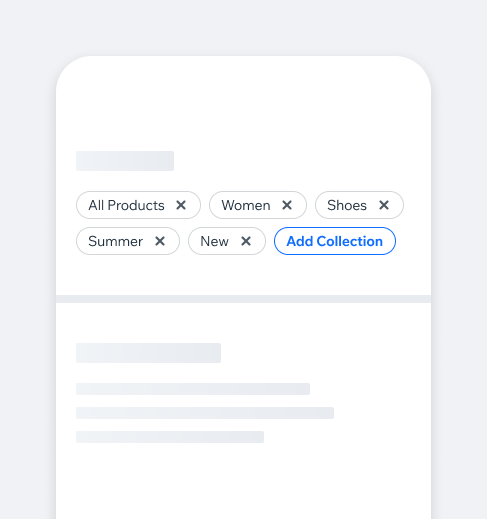
Tags Chips List: visually display tags to give users quick access to their categories.
- Overview
- Dev
Usage Examples
Filter Chips ListFilter Chips List provides selectable chips for filtering content.
Tags Chips ListThe Tags Chips List visually displays tags and allows quick access to their categories. Tags can be editable, featuring an 'X' to remove them, and may include an action button (e.g., to add or reset the list).
Types
Filter Chips List
| Property | Component |
|---|---|
| Single Select (default) Only one chip can be selected at a time, automatically deselecting any previously selected chip. |  |
| Multi Select Multiple chips can be selected simultaneously, allowing for a combination of choices. |  |
Tags Chips List
| Property | Component |
|---|---|
| Default |  |
| Editable [isRemovable] |  |
Accessories
Filter Chips List
| Property | Single Chip Example |
|---|---|
| Counter Suffix |  |
| Badge Suffix |  |
| Icon Prefix/Suffix |  |
| Avatar Prefix |  |
Tags Chips List
| Property | Component |
|---|---|
| Additional Chips Indicator By default, we display all tags without limitation. However, in cases where we want to limit the amount of tags displayed (e.g. 2-3 lines)- a "+x more" link button should appear to indicate there are additional tags. |  |
| Add New When allowing users to add their own tags, include an "Add New" button. |  |
Behaviour
Tapping on a cropped chipWhen a cropped chip is tapped, it becomes active and scrolls into view, ensuring there is a 40px padding between the active chip and the edge of the screen.
Loading a page of a chip that is not in the visible areaWhen a page opens with an active chip that’s off-screen, the chip bar scrolls to position it with 40px padding from the screen’s edge.
Spec
Filter Chips List

Tags Chips List

UsageCode Example
<ChipsList
  chips={chips}
  action={action}
  onSelectionChange={onSelectionChange}
  onRemoval={onRemoval}
  containerStyle={styles.container}
/>
APIThis is the list of additional props for the component