DateRangePickerThis component allows selection a specific range of dates.
Tapping on a date selects it as a starting date. Taping on another date will select all dates between these, creating a date range. Tapping on any additional date will deselect the range.
The component consists of the DateRangePicker field and modal. The field serves as the entry point to the DateRangePicker modal.
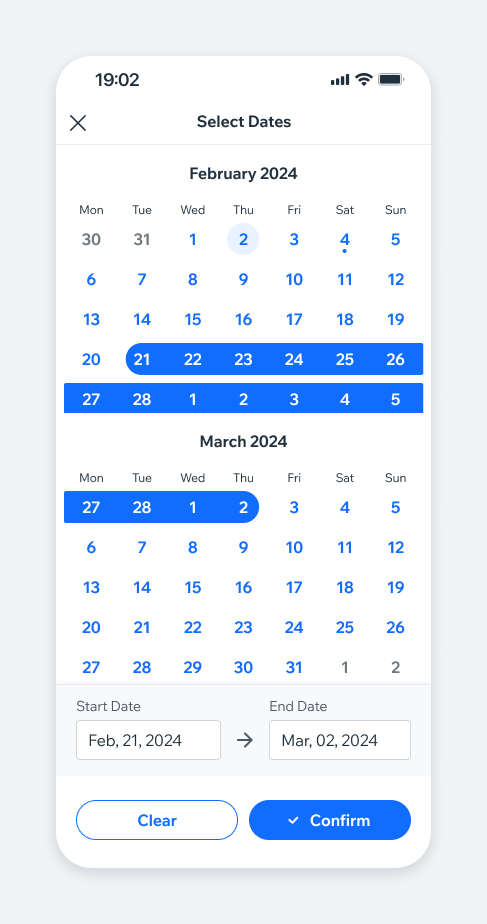
- Overview
- Dev
Usage Example
Field TypesThe dateRangePicker field supports the following types:
| Type | Preview |
|---|---|
| Form | |
| Filter | |
| Settings |
Field States
| Type | Empty | Full |
|---|---|---|
| Form | ||
| Filter | ||
| Settings |
BehaviourDate Range Picker opens as a Modal. It can be opened either from a field, picker or a link button/action.
Basic flow example
Deselection
Range editingUsers can adjust the selected range if needed. By tapping on a date field, the range is switched to an “edit mode” of the corresponding date (Start/End Date).
Specific behaviorIn some products, past dates selection can be relevant, in other this may cause UX issues. When implementing Date Range Picker in you product, pay attention to such cases.
Notify users when Date Range modal is closed.
In some cases, success message in form of Toast may be appropriate.
Spec
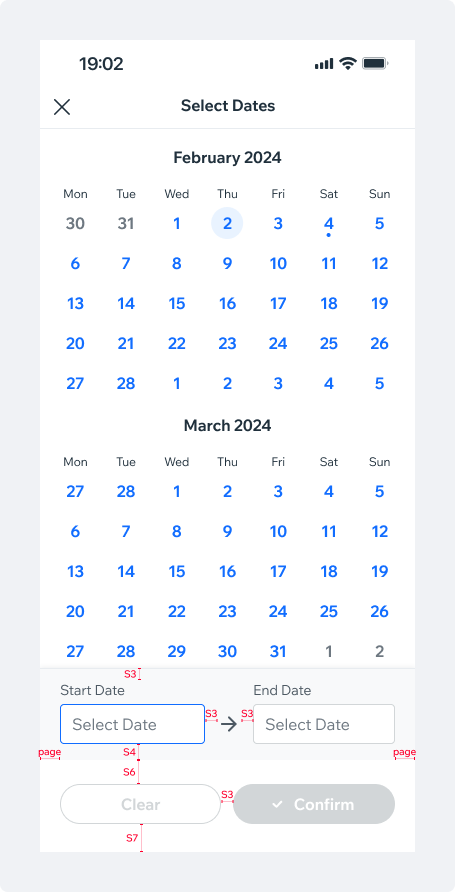
PlaygroundCode Example

TIP
This component extends the Calendar props.
APIThis is the list of additional props for the component