SearchInputThe SearchInput component allows users to find or filter content by entering a search term.
- Overview
- Dev
Usage Examples
The SearchInput component can be used in two ways:
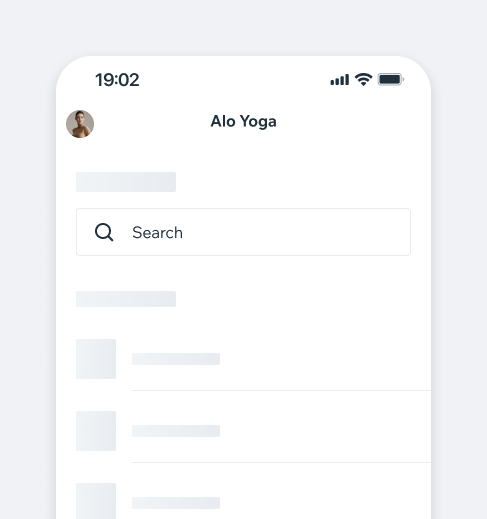
- Inline: Displays search results directly on the same screen, filtering them in real time.
- Entry point to SearchScreen: Used as an entry point that opens that SearchScreen, providing a focused search experience.
Inline
Entry point to SearchScreen
Presets
| Preset | Component |
|---|---|
| Default Usually appears at the top of the screen, can be used for filtering or searching. | |
| Prominent The prominent style is best used for screens where the search is the primary focus. |
States
| First column | Default | Prominent |
|---|---|---|
| Focused | ||
| Typing | ||
| Loading results | ||
| Unfocused |
Accessories
| Prop | Preview |
|---|---|
| Cancel Button Used in searchScreen to dismiss the entire screen | |
| Filter Icon |
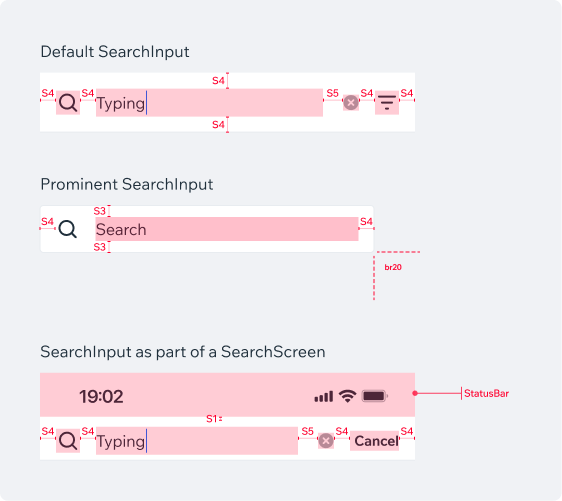
Spec
PlaygroundCode Example

TIP
This component extends the TextInput props.
APIThis is the list of additional props for the component