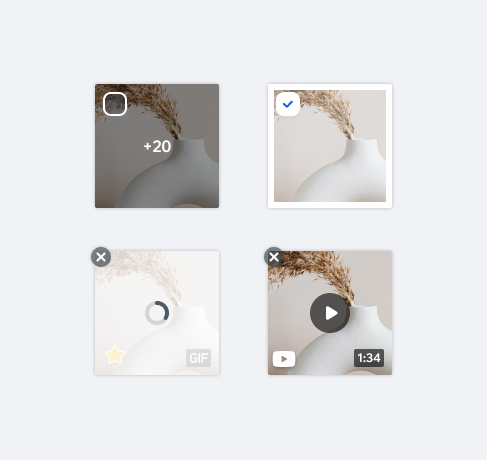
MediaItemMediaItem is a reusable component for displaying and managing media within the app. Each gallery entry is composed of a MediaItem, which includes all the functionality needed to preview, control, and manage assets. It supports multiple media types, including images, GIFs, and videos.
- UX Guidelines
- Overview
- Dev
Types
| First column | New Column |
|---|---|
| Image |  |
| GIF |  |
| Video |  |
Structure
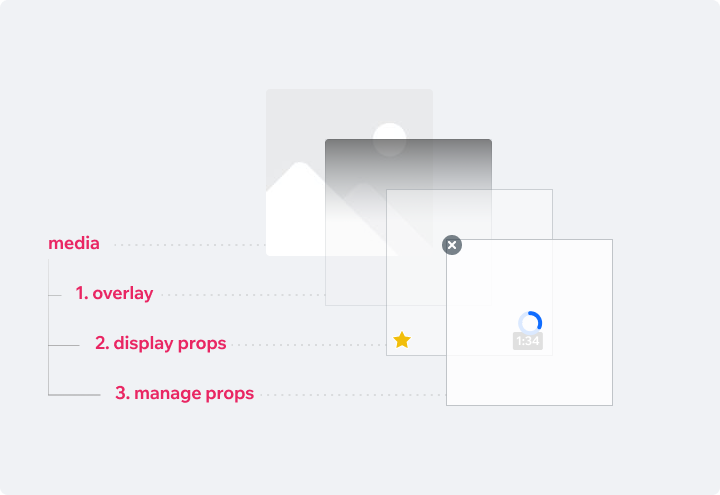
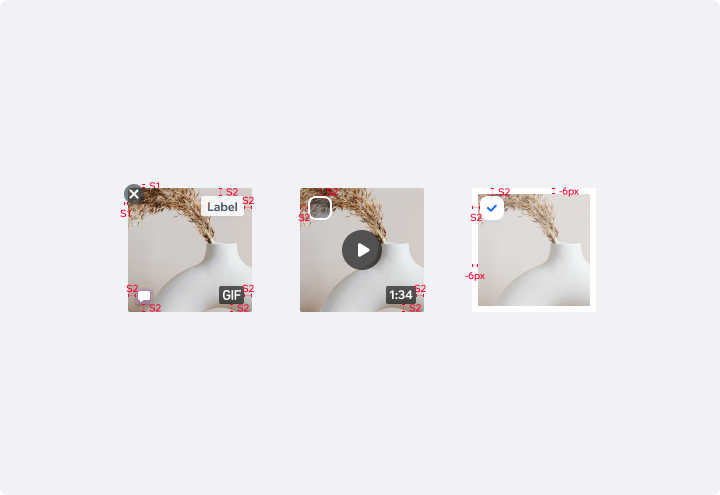
Display PropsDisplay props are used to give meaning, extra information and functionality on Media Items that are displayed in a gallery.
Multiple display props can be displayed simultaneously on a MediaItem.
| Type | Component |
|---|---|
| Default - Add to GIFs a GIF indication - Add to videos the video time label |  |
| Toggle Button Use the Toggle button to allow the user to mark the item as favorite or liked |  |
| Label Use the Label to add extra information |  |
| Icon indication Use an icon to indicate specific properties of the item, e.g. commented, pinned, locked. Style: Icon small, sh20 |  |
| Order Counter Use the Counter to indicate the item number in a sequence of items |  |
| +More Counter Overlay Use the Counter Overlay to visually indicate the total amount of media items engaged in certain gallery. |  |
Manage PropsManage Props are used to give the user management functionality on the Media Items, such as organization and adding/removing.
| Type | Component |
|---|---|
| Add New Press the Add Media button to upload more images. markdown: **Style:** Border: $outlinePrimary Icon: $iconPrimary |  |
| Remove Remove a media item by pressing the X button. markdown: **Style:** Background: $backgroundInverted Icon: xSmall, $iconDefaultLight |  |
| Upload Upload state is displayed while the media is uploading. markdown: **Style:** Overlay - $backgroundDefault, opacity 0.8 Loader small | 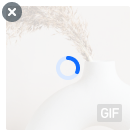 |
| Re-load If Item failed to load, a retry button will be displayed. Also display an error toast. markdown: **Style:** Overlay - $backgroundDefault, opacity 0.8 Icon small | 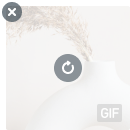 |
| Selection [ Unchecked ] Display a checkmark over the Media Item to allow selection of multiple items and perform actions on them. markdown: **Checkbox Style:** White |  |
| Selection [ Checked ] When Media Item is selected, image shrinks by S2. markdown: **Selected style:** Checkbox Style: White Image overlay: White with 0.3 opacity. |  |
| Reorder Redorder Media Items by long press on an item and drag and drop to a new location. |  |
Spec
Usage Examples
UsageCode Example
<MediaItem
  key={\`\${index}\`}
  index={index}
  onPress={onPress}
  source={source}
  size={116}
  overlayType={overlayType}
  elements={elements}
  gif={gif}
  onDismiss={onDismiss}
  duration={'1:34'}
/>

TIP
This component extends the media/Image props.
APIThis is the list of additional props for the component